Write your book,
500 words at a time.
Write 500 Words is a Mac app built around a daily writing habit. Your manuscript, your notes and an unobtrusive daily word count all live in the same place, so showing up each day becomes the easiest part of finishing a book.
Free 14-day trial · For Mac · Requires macOS 26 Tahoe or later
The daily habit that finishes books
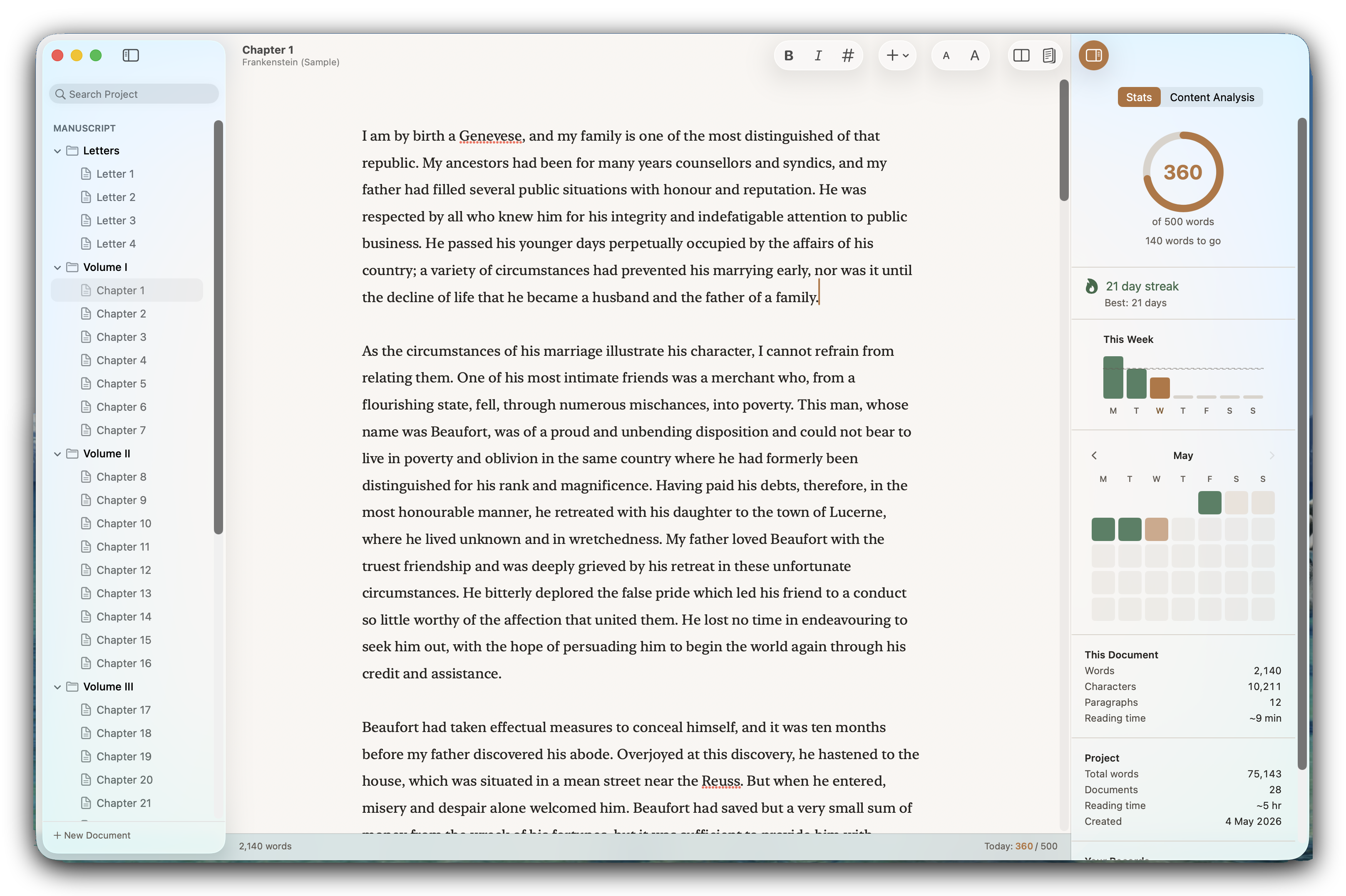
Set a daily word target and the app keeps count while you write. Hit it enough times and a draft turns up. Nobody ever claimed the words themselves would be easy, but showing up can be.
Built for the long work of a book
Chapters and scenes on one side; character notes, research, and the material you've cut but can't quite let go of on the other. Everything a book accumulates, arranged so it doesn't crowd the manuscript.
One purchase, £19.99
Buy it once from the Mac App Store and it's yours, on every Mac you own. No subscription. Your words stay in plain text files on your own machine.
The daily habit
Come back each day and just write.
Graham Greene wrote five hundred words a day. He counted as he went, and when he reached the number he stopped, sometimes mid-sentence, so that the next morning he knew exactly where to pick up. Over forty years that habit produced twenty-five novels.
Most writers have attempted some version of it. The draft gets to ten thousand words, then life intervenes, and the file quietly stops being opened. Write 500 Words is built for the coming back.
The number doesn't have to be five hundred; you set your own. It doesn't have to be every day either. Mark the days you know you can't write as rest days, and your streak waits for you instead of punishing you.
At five hundred words a day, an 80,000-word novel takes about six months.
The app keeps your number in view without making a fuss of it. Change it, raise it, or switch it off altogether if targets aren't how you work. The counting was only ever a means to the book.
Built around the way books get written.
An editor you stop noticing
Write in a clean, focused editor. The formatting is visible while you're typing it and invisible the moment your cursor moves on, so the page reads like prose while you work.
Your manuscript and your notes, together
Keep chapters, character notes, research and cut material together in one project, with the manuscript itself kept separate from the rest.
A synopsis when you need one
Content Analysis reads your manuscript and gives you a synopsis, short or long. Runs on-device with Apple Intelligence; your words never leave your Mac.
Ready to send when you're done
Export as a properly formatted DOCX manuscript, the submission format agents ask for. PDF, ePub, and plain text are all there too.
How it works
Pay once.
It stays yours.
£19.99, once.
- One purchase. No subscription and no account to sign up for.
- Works on every Mac signed in to your Apple Account, and can be shared through Apple's Family Sharing.
- Your book lives in plain markdown files on your Mac. You can read every word in Finder if you ever want to.
Coming soon to the Mac App Store. Requires macOS 26 Tahoe or later.